This comes straight from Robot36’s own GitHub page, and it’s free. Need help installing?
What it looks like
About this app
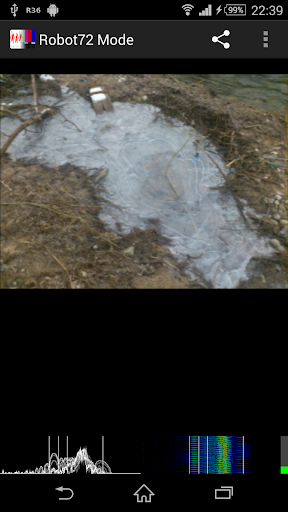
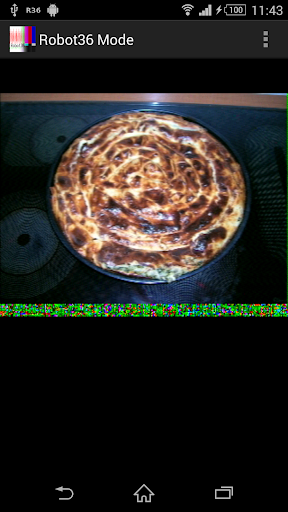
Robot36 decodes slow-scan television, or SSTV, a way of sending a still picture as a series of sounds. Play the signal near your phone's microphone, or connect a radio to it, and the picture builds up line by line on screen.
The app listens, spots the start of a picture by itself and works out which mode is being sent. It knows Robot 36 and 72, PD 50 to 290, Martin 1 and 2, Scottie 1, 2 and DX, Wraase SC2-180 and HF Fax, and has a Raw mode for old black-and-white or unsupported ones. Finished pictures are saved to your Pictures folder automatically, so they show up in your gallery, and you can turn that off. You can also lock it to one mode, view the sound as a spectrogram or a frequency plot, and choose the sample rate and audio source.
It only decodes sound, so you need something playing SSTV audio, such as a radio. Version 2 cannot decode in the background, so keep the app open while you listen. Picking sound up through the air can be noisy, so the developer also explains how to build a small circuit that connects a radio's audio output straight to the headset jack for a cleaner picture.
From the app’s home page
- See the codeHow it’s made, every line is public
- WebsiteThe app’s own home page
- Questions & commentsTalk with the people who make it
- Report a problemTell the makers something is broken
- All versionsOlder downloads and what changed
- LicenseThe rules for using and sharing it
More like this
 SatDump
Pull pictures out of satellite radio signals
SatDump
Pull pictures out of satellite radio signals
 Codec2 Talkie
Digital voice and APRS for ham radio, from your phone
Codec2 Talkie
Digital voice and APRS for ham radio, from your phone
 SDR++
Listen to the radio spectrum with an SDR dongle
SDR++
Listen to the radio spectrum with an SDR dongle
 RF Analyzer
See the radio waves around you on your phone
RF Analyzer
See the radio waves around you on your phone
 kv4p HT
Turn your phone into a handheld ham radio
kv4p HT
Turn your phone into a handheld ham radio
 VibeSDR
Listen to radio waves with a USB receiver
VibeSDR
Listen to radio waves with a USB receiver