
This comes straight from OwnDroid’s own GitHub page, and it’s free. Need help installing?
What it looks like
About this app
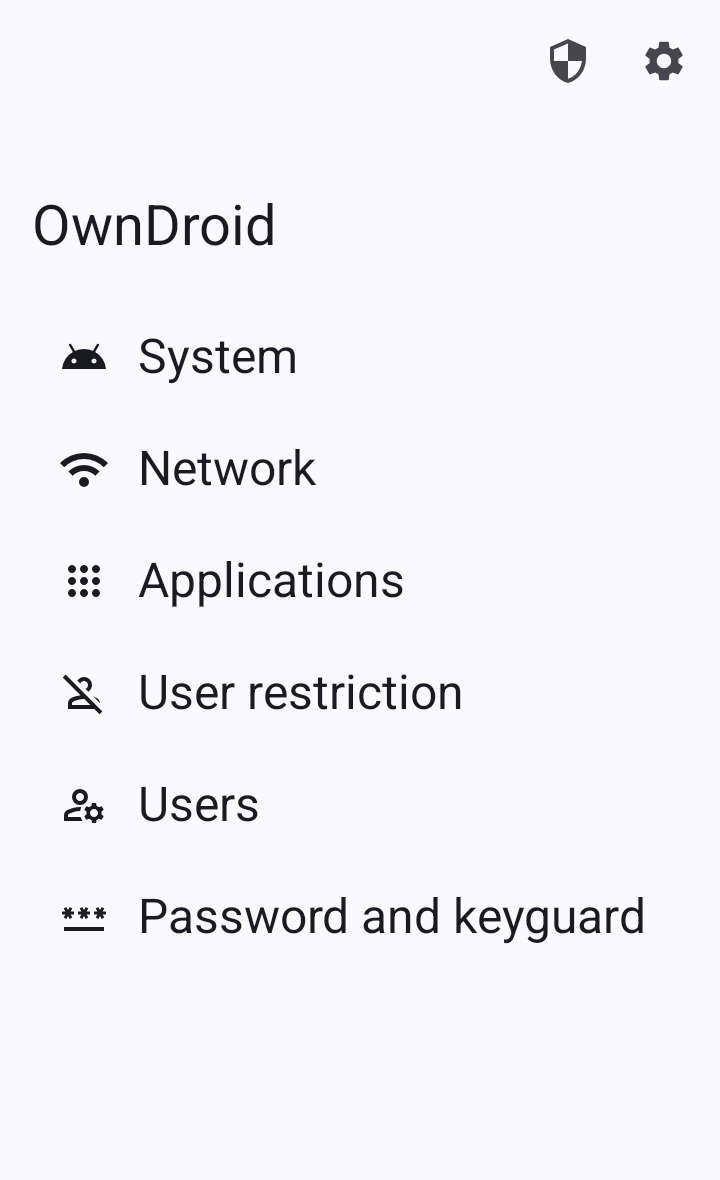
OwnDroid lets you manage your own phone the way a company manages its staff phones. It uses Android's device owner feature, the same power that work-phone management apps use, to give you controls the normal Settings app does not have.
You can switch off the camera, screenshots, USB data, Bluetooth and NFC, and block SMS and outgoing calls. You can hide or suspend an app, stop it being uninstalled, clear its storage, and grant or take away its permissions. It can also edit Wi-Fi networks, show network and security logs, reset the screen lock password, and create or switch between users. Other apps and scripts can trigger some actions through an intent API protected by a key you set.
This one is for people happy with some setup. To make OwnDroid the device owner you run an ADB command from a computer, or use Shizuku, Dhizuku or root. Android refuses if accounts are signed in on the phone or extra users exist, so you may need to remove them first, and only one app can be device owner at a time. There is also a work profile mode. Wipe data is one of the controls, so read each warning before you tap. ColorOS phones need the testkey APK from the GitHub releases. It needs Android 6 or newer, it also has Simplified Chinese, Russian and Turkish translations, and it does not ask for internet access.
From the app’s home page
- See the codeHow it’s made, every line is public
- WebsiteThe app’s own home page
- Questions & commentsTalk with the people who make it
- Report a problemTell the makers something is broken
- All versionsOlder downloads and what changed
- LicenseThe rules for using and sharing it
More like this
 InstallerX
A better dialog for installing app files
InstallerX
A better dialog for installing app files
 Hail
Freeze apps you don't want running
Hail
Freeze apps you don't want running
 Canta
Remove preinstalled apps without root
Canta
Remove preinstalled apps without root
 ShizuTools
A toolbox of system tweaks, no root needed
ShizuTools
A toolbox of system tweaks, no root needed
 aShell You
Run ADB commands on the phone itself
aShell You
Run ADB commands on the phone itself
 Activity Launcher
Open hidden screens inside apps and pin shortcuts to them
Activity Launcher
Open hidden screens inside apps and pin shortcuts to them